Find the starting horse#
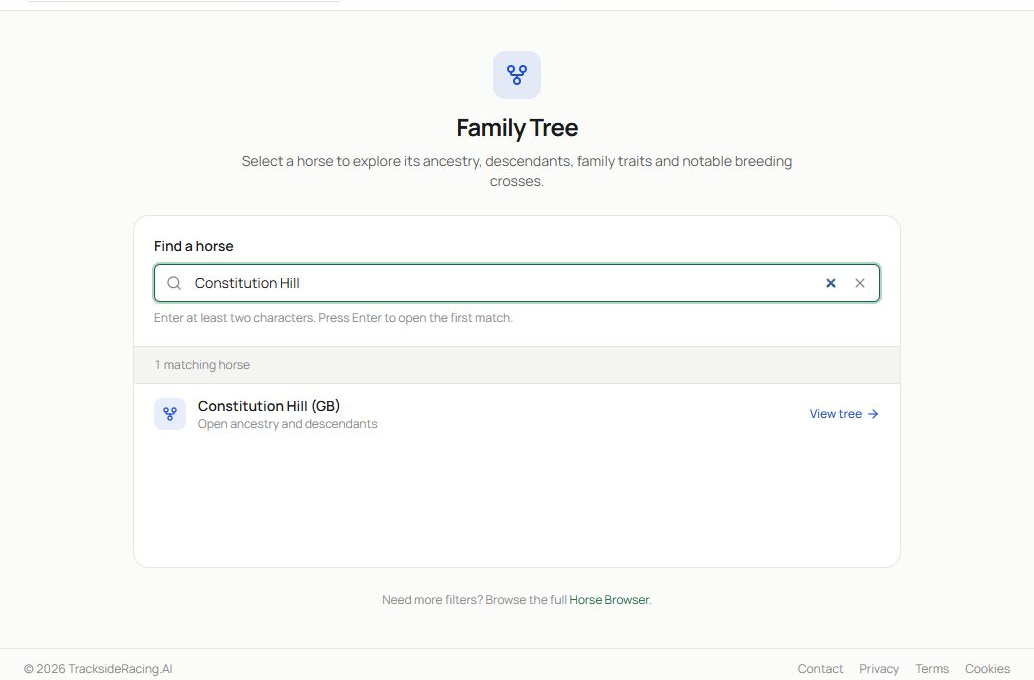
- The landing page explains that the workspace covers ancestry, descendants, family traits and breeding connections.
- Enter at least two characters, then select a matching horse or choose View tree. Country suffixes help distinguish similarly named horses.
You can also open a horse profile and select View Family Tree, which removes the need to search again.
Navigate the pedigree workspace#
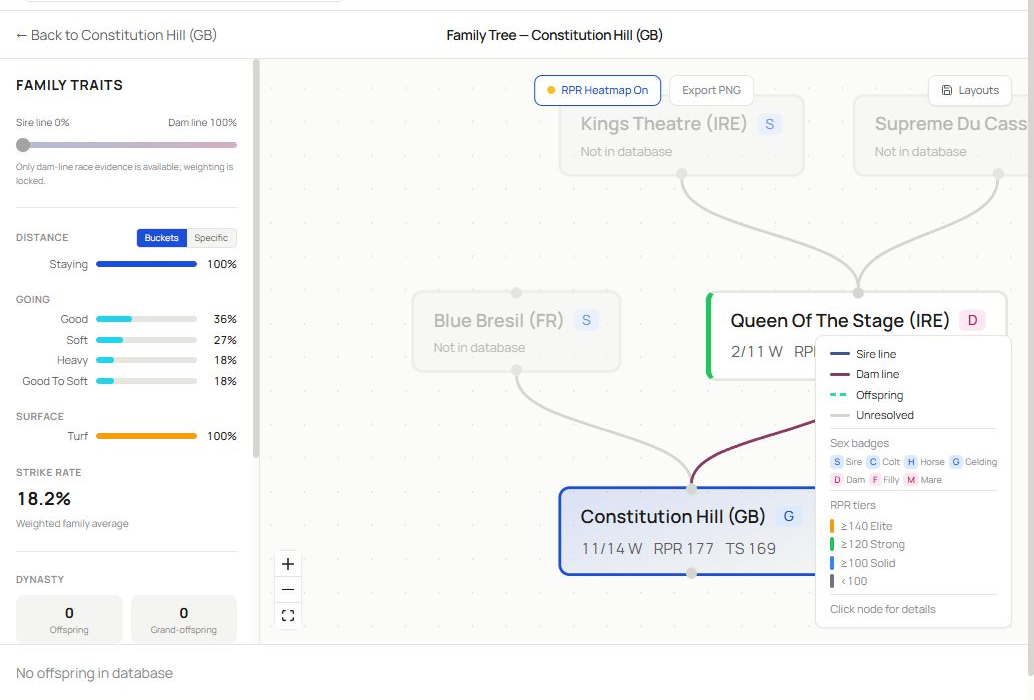
- The top bar identifies the focus horse and provides actions such as the RPR heatmap, PNG export and saved layouts.
- The Family Traits panel summarises distance, going, surface and strike-rate characteristics derived from the available family data.
- The canvas connects the focus horse to sire and dam lines. Colours and badges distinguish sex, relationship and other supported attributes. Select a node for more detail and use the on-canvas controls to move or zoom.
- Lower summary controls and the legend help interpret offspring, descendants, relationship lines and available inbreeding information.
The canvas is designed for exploration. Follow one branch at a time, then return to the focus horse before opening another branch. This makes it easier to remember which evidence belongs to which side of the pedigree.
Use traits and the heatmap#
Family traits summarise patterns in the available relatives. They can support a view about likely distance, going or surface aptitude, especially when the focus horse has little race evidence. They should not override the horse’s own performance once a useful sample exists.
Enable the RPR heatmap to colour nodes by supported performance strength. The heatmap is a comparative visual aid; missing values mean the required rating is unavailable, not that the horse was low quality.
Explore siblings, descendants and details#
Select supported nodes or relationship controls to inspect siblings, offspring and descendants. Detail panels provide the available identity, race or relationship context without leaving the family workspace. Use the horse link when you need the full profile and race record.
Save or export the view#
Use Layouts to return to a useful arrangement when saved layouts are available. Choose Export PNG when you need a static image for your own research notes. Before exporting, centre the relevant family branch and close any detail panel that covers important nodes.
Read pedigree evidence responsibly#
- Confirm that you have the correct focus horse.
- Separate sire-line and dam-line observations.
- Note how many relatives support a trait.
- Treat missing ratings or race records as unavailable data.
- Compare pedigree expectations with the horse’s own evidence.
- Use inbreeding indicators as context, not a prediction by themselves.
Related guides#
Use Horse Browser and Horse Profiles for the focus horse’s race record, Speed Figures and Speed Sheets for performance history and Systems Builder for supported pedigree filters.